3. Add a Template Case
A Template Case is the recipe Bramble follows to build the CFD case: the domain, mesh refinement, boundary conditions, solver stages and force measurements. The example file is an OpenFOAM recipe for an isolated wing. It runs a potential-flow initialisation followed by a steady RANS solve.
Upload the Template Case
- In the sidebar, under Setup & CAD, click Template Cases.
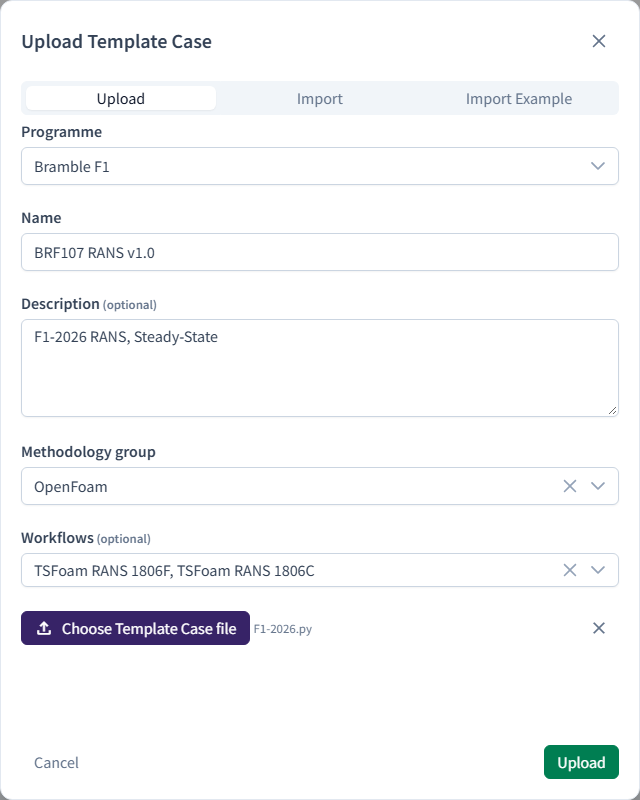
- Click New Template Case. Leave the dialog on Upload.
- Fill in the form:
- Programme:
DEMO - Name:
Isolated front wing - Description:
Tutorial: isolated wing, steady RANS - Methodology group:
OpenFoam - Workflows: leave empty
- Programme:
- Click Choose Template Case file and select
isolated-front-wing.pyfrom the example data. - Click Upload.
What the Methodology group does
The Methodology group tells Bramble which solver family the recipe is for. It decides which features the Template Case editor offers, and which methodologies make sense for it later. The optional Workflows field adds workflow-specific settings, such as MeanCalc, and limits the solution stage to steady or transient.
Checkpoint
Isolated front wing appears in the Template Cases table. A Programme needs at least one Template Case before you can create a Run in it.
To learn more about Template Cases, see simulation configuration.