Geometry
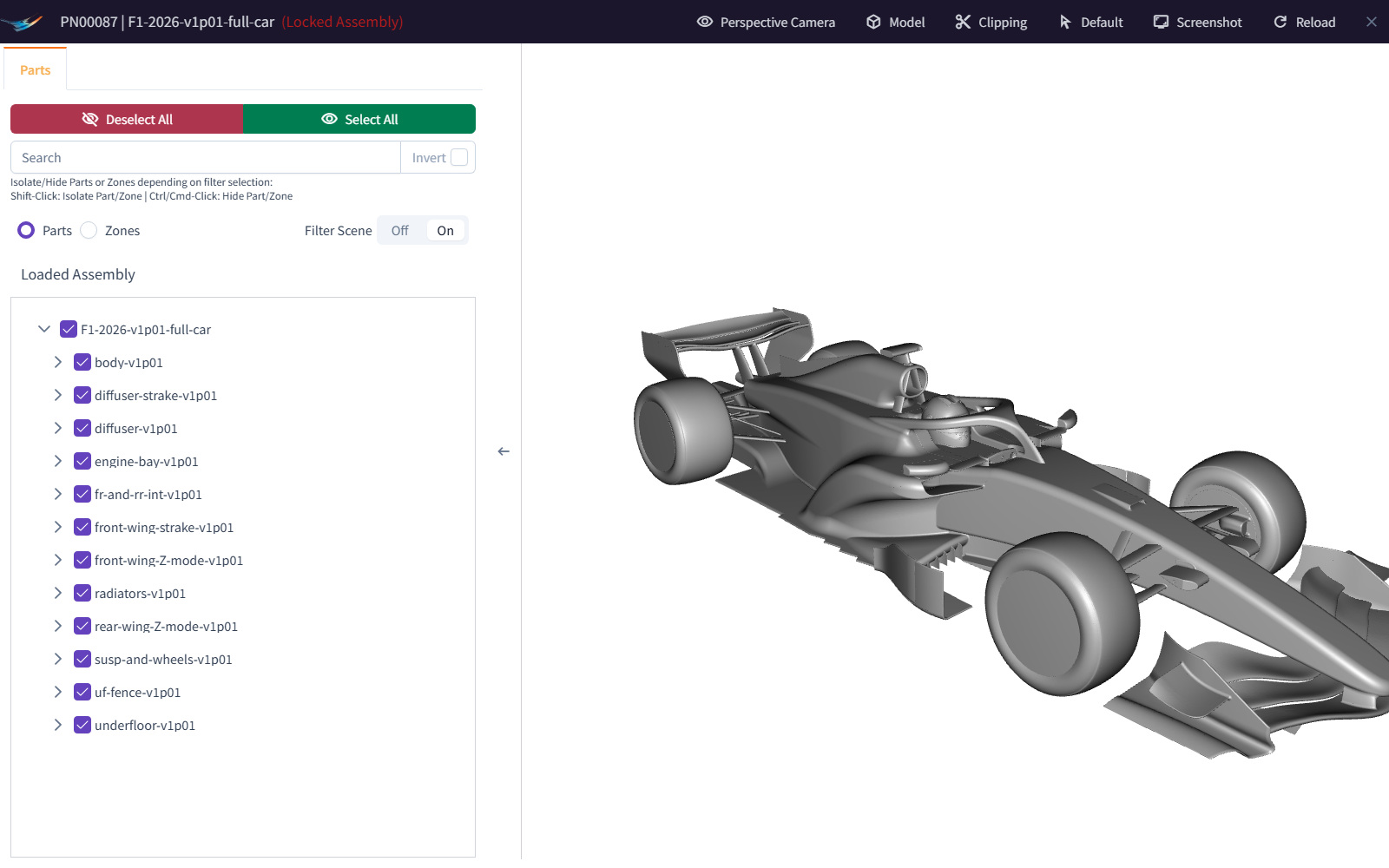
Bramble organises geometry into Parts and Assemblies. Each uploaded geometry file is a Part, and Parts are grouped into Assemblies. When you create a Run, you choose the Assemblies that make up its model.
Parts
A Part is a single uploaded geometry file: a triangulated surface of the object you want to simulate.
One file is one Part. Bramble treats every uploaded file as a single Part, however large or complex it is. The file might contain one component, such as a wheel, or an entire vehicle.
Supported file types. Bramble accepts triangulated surface files such as .stl, .nas and .msh. See
file formats and limits for the full list.
Part Libraries. Parts are organised into Part Libraries, which are simply collections of related Parts. How you group them is up to you.
Remember: one file = one Part
Zones
Zones are the names given to the surfaces inside a Part.
Applying simulation settings. Template Cases apply boundary conditions, such as a rotation speed or surface
roughness, to zones. They pick zones by matching zone names against patterns (regular expressions). For example,
the pattern fw.* matches every zone whose name starts with fw.
Monitoring results. Zones also let Bramble report forces and flow metrics for specific parts of the model. For example, it can show how much drag comes from the front wheels or the rear wing.
Keep names consistent. Variations of the same Part should use the same zone names. Then the same Template Case treats them the same way, and their results can be compared like-for-like.
Zone names matter
A Template Case can only apply settings to the zones its patterns match. If a zone is misnamed, it may get no boundary condition, the wrong one, or be missing from the force breakdown. Choose zone names deliberately, and agree a naming convention with whoever writes your Template Cases.
Some file formats store zone names inside the file. For others, such as STL, you enter the zone name when you upload. For the rules and recommended conventions, see zone naming.
Assemblies
A collection of one or more Parts, grouped together for use in Runs.
You don't add individual Parts to a Run. Instead, you add one or more Assemblies.
Flexible and reusable. An Assembly can contain any number of Parts and can be used in many Runs. It might contain every Part needed for a simulation. Or it might contain only the Parts that are commonly reused, so you can swap the others without reselecting every Part each time you set up a Run.
Assembly Libraries. Assemblies are organised into Assembly Libraries, just as Parts are organised into Part Libraries.
Example
For a racing car, you might create two Assemblies:
- the main body, wheels and rear wing
- the front wing on its own
Reuse the first Assembly in every Run, and swap the second for a different front-wing Assembly to create Runs that change only the front wing.
Generating new geometry
Bramble can manipulate uploaded Parts to generate new ones, without you leaving Bramble.
Transformations. Rotate or translate an existing Part using a simple form, which creates a new Part you can use in simulations.
Deformation and morphing. Use Bramble's morphing tools to deform existing Parts. You can also generate a sweep of deformed Parts automatically by creating an optimisation run. See morphing and optimisation.